Documentation

Child-Sections
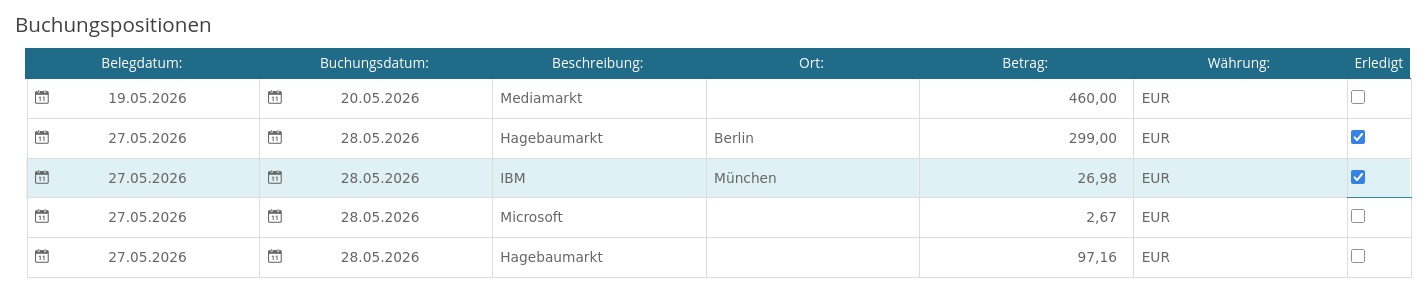
Child-Sections are used to display embedded workItems either in a 'table' or in a 'group' format. Embedded workItems are data structures holding a list of workitem data in a parent workitem. The data is stored directly into the workitem in a embedded item called 'childitem'.
ChildItem Section
A childitem section can be displayed in any imixs-form layout by defining a imixs-form-section element with an option childitem :
<imixs-form-section columns="3" options="childitem=bill;layout=group" label="Buchungspositionen" >
      <item name="bill.date" type="date" label="Belegdatum:" span="2"/>
      <item name="bill.description" type="text" label="Beschreibung:" span="4" />
      <item name="bill.amount" type="currency" label="Betrag:" />
      <item name="bill.currency" type="text" label="Währung:" />
      <item name="bill.completed" type="selectBooleanCheckbox"    label="Erledigt" />
</imixs-form-section>
The options are mandatory defining the reference item name holding the embedded data. For each embedded childitem a separate table row or group is displayed.
| Property | Type | Mandatory | Description |
|---|---|---|---|
| childitem | text | ✓ | Name of the item holding the child item list |
| layout | text | The layout option table (default) or group |
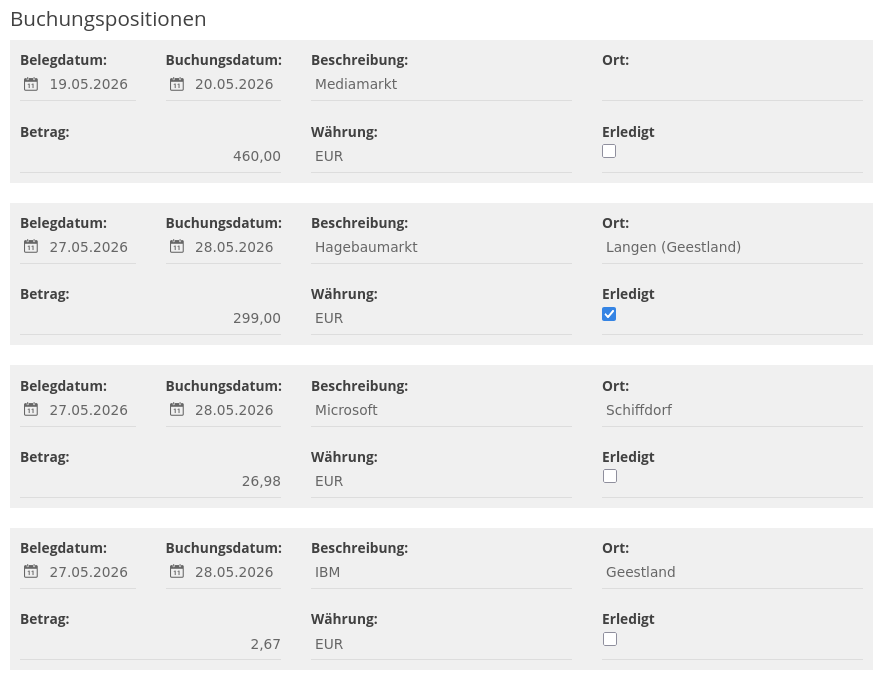
Table layout
Childitems can be disployed in a group or table layout. To display the child items in a table use the layout type ‘table’